
Ozone Spirit Model B Support
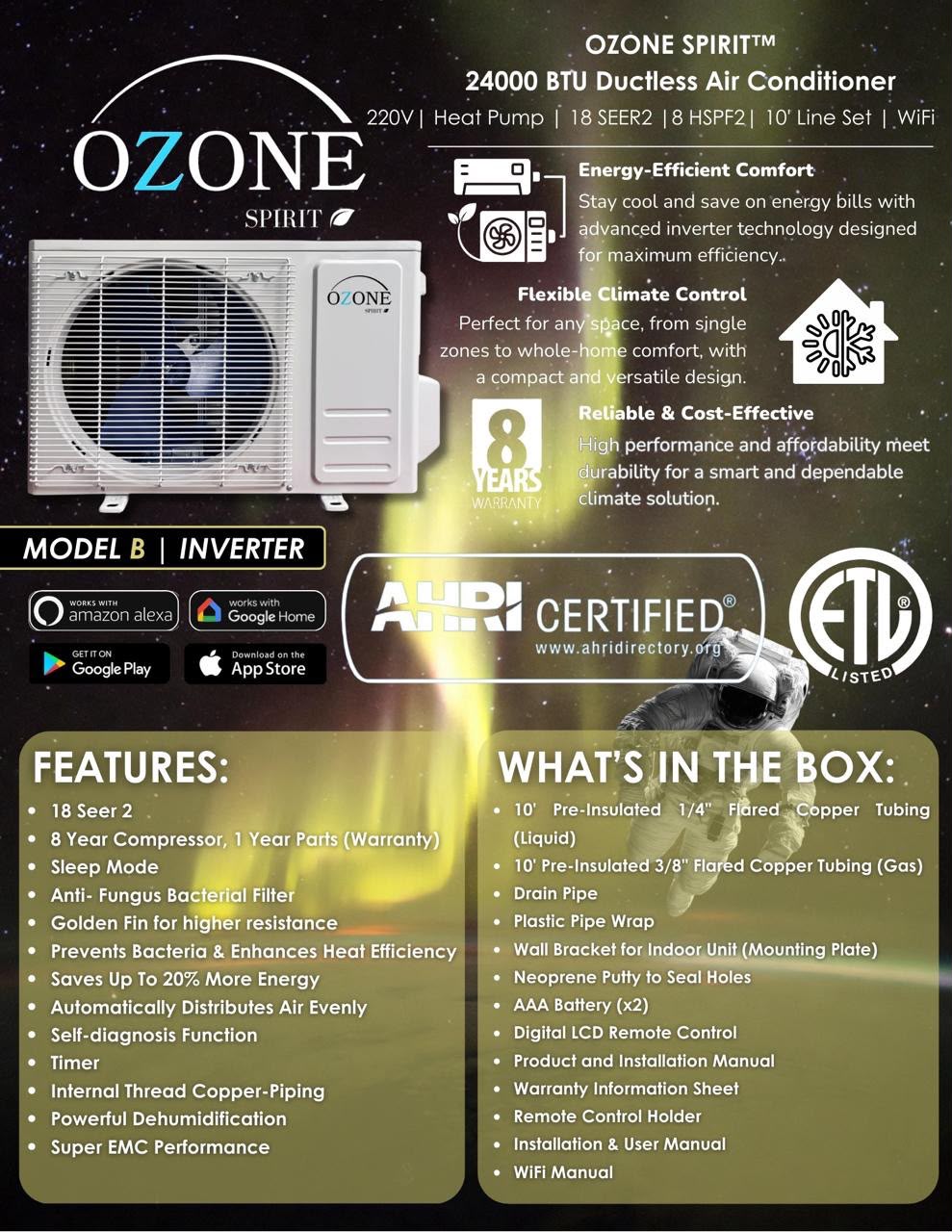
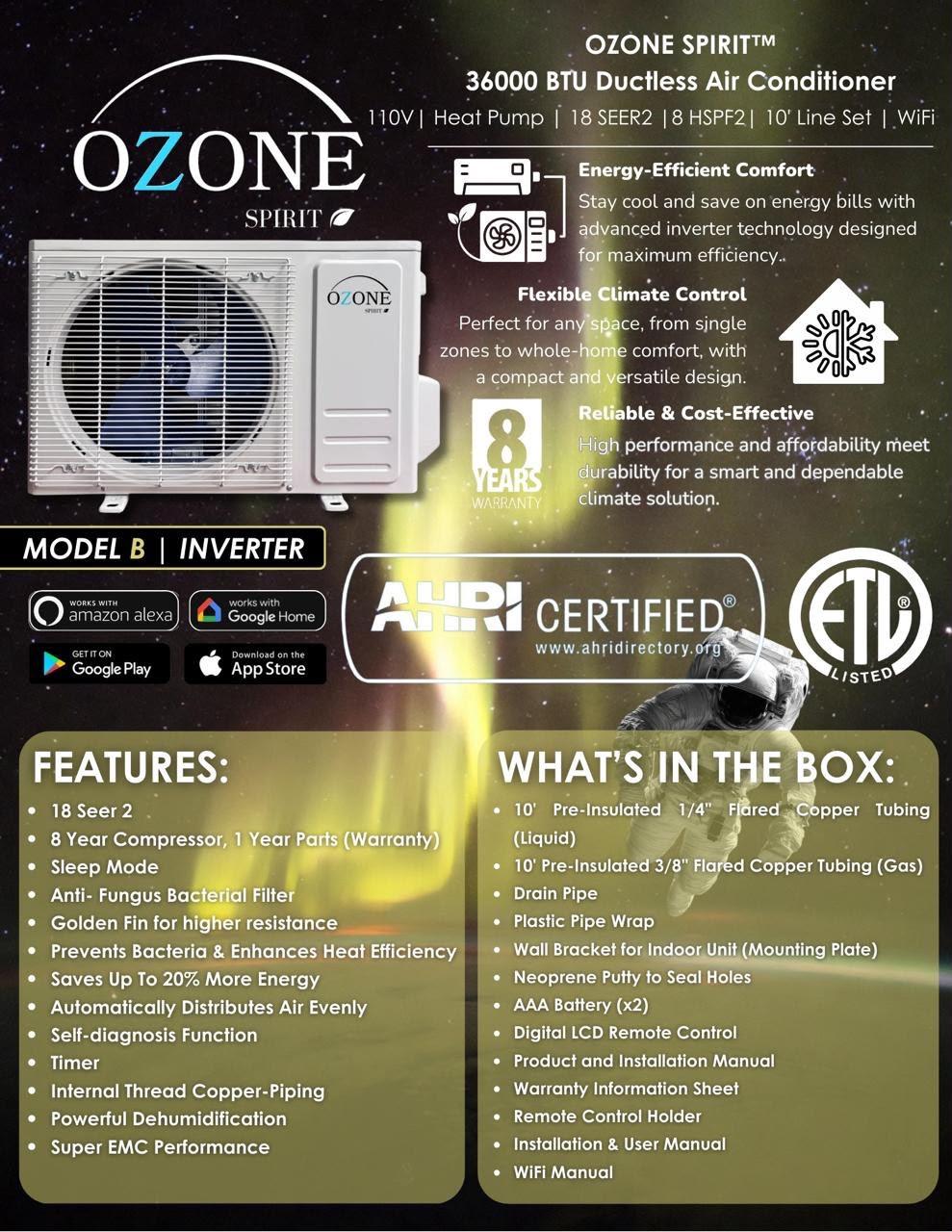
Manuals, specifications, error codes and remote instructions for Ozone Spirit systems whose model number ends in B (12K, 18K, 24K and 36K).
Not sure this is your model? Check the data placard on the side of the indoor head — the final letter of the model number tells you (KOP…B). Back to the Support Center, or text us a photo of the placard and we’ll confirm it.
Identify your system
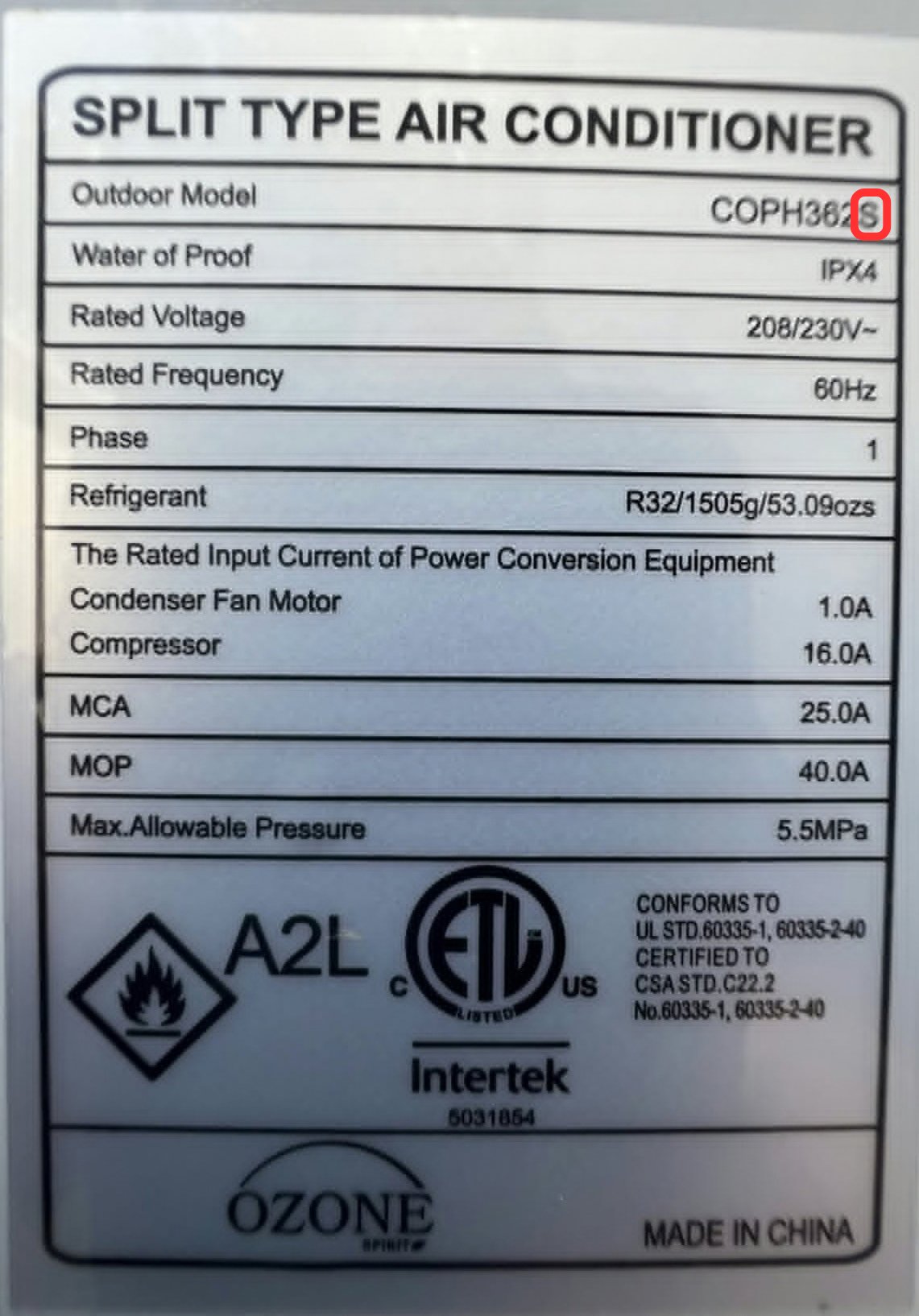
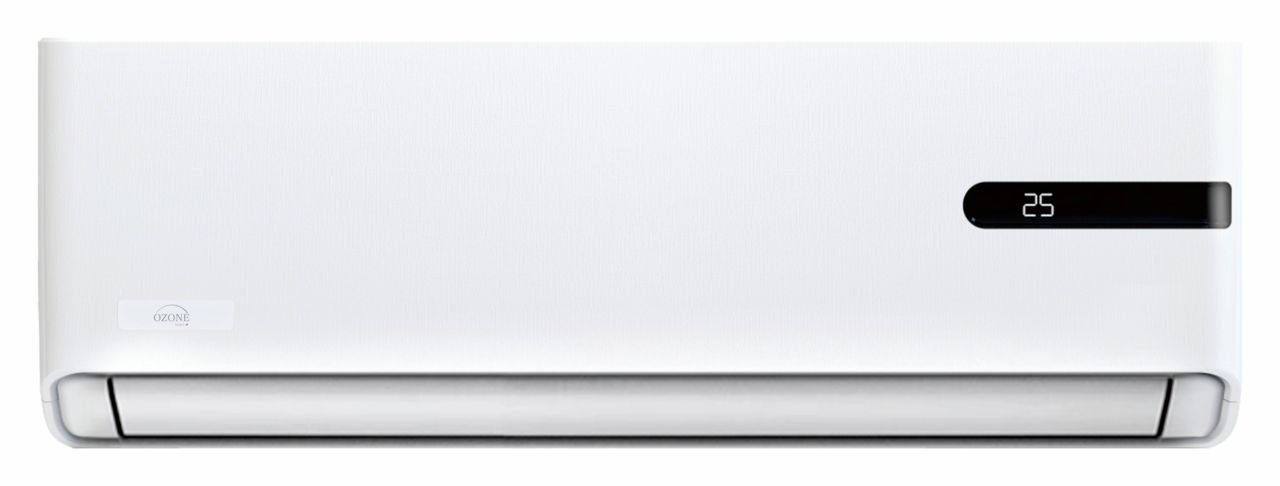
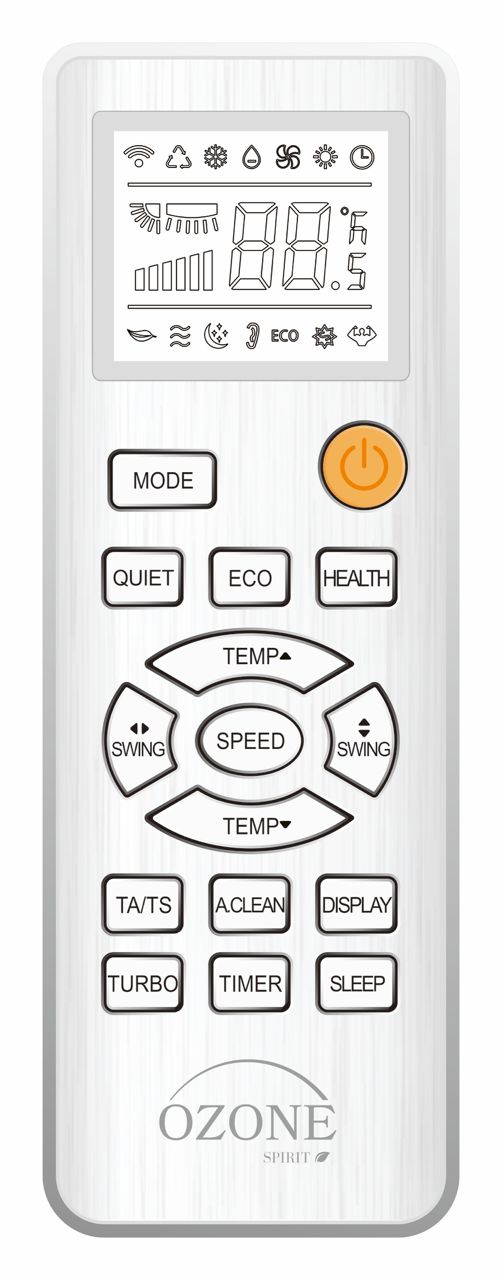
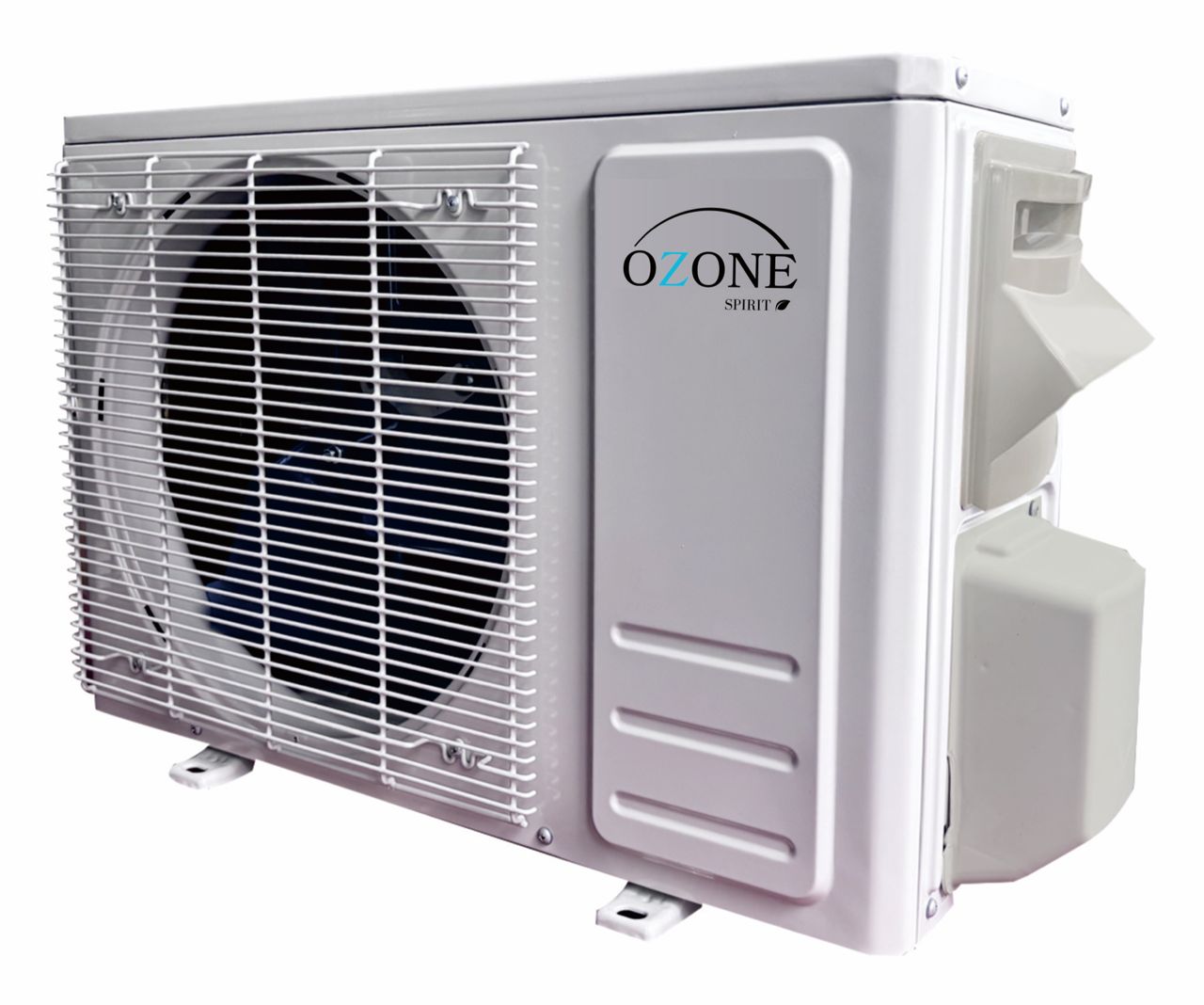
If your indoor head or remote looks different, you may have a Model S. Check Model S.
Specifications
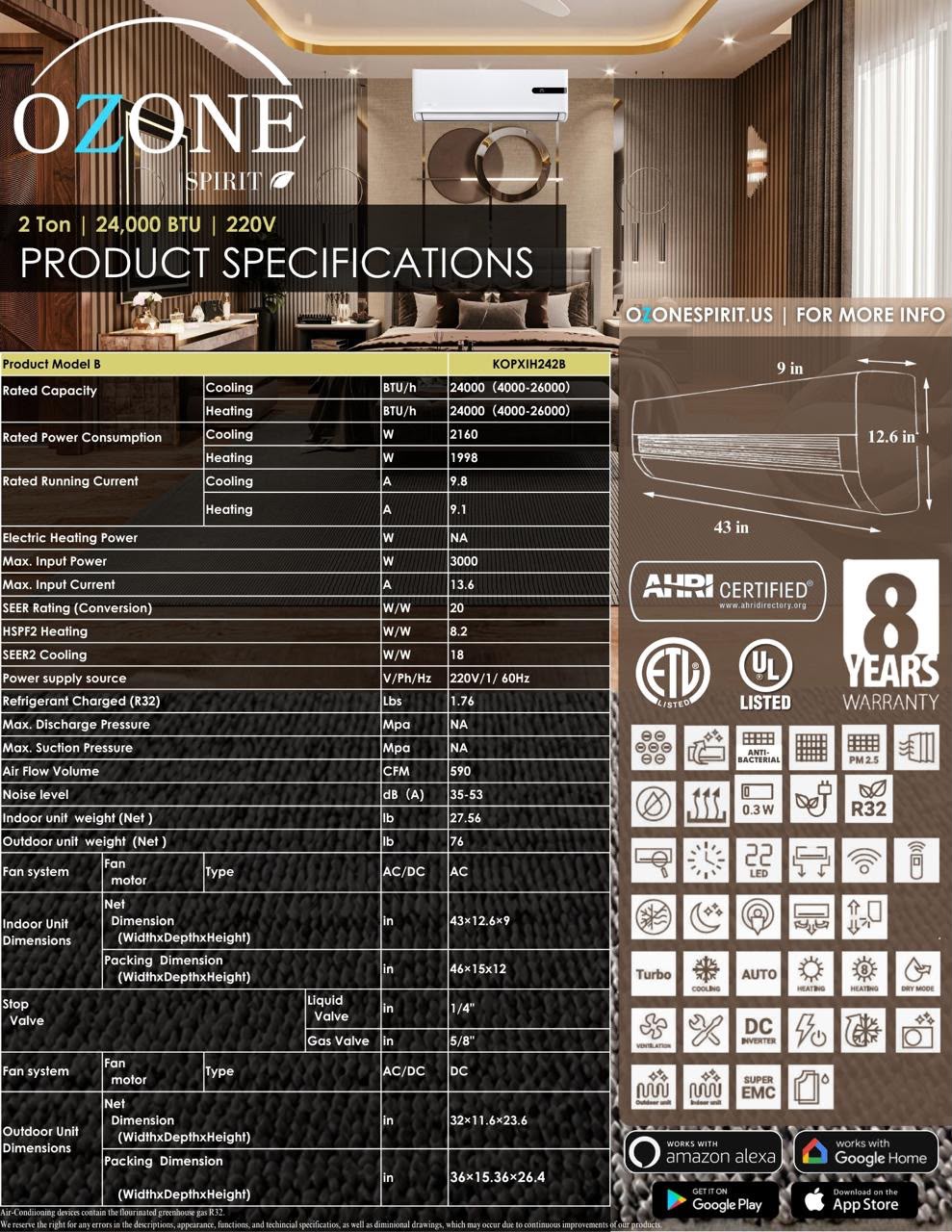
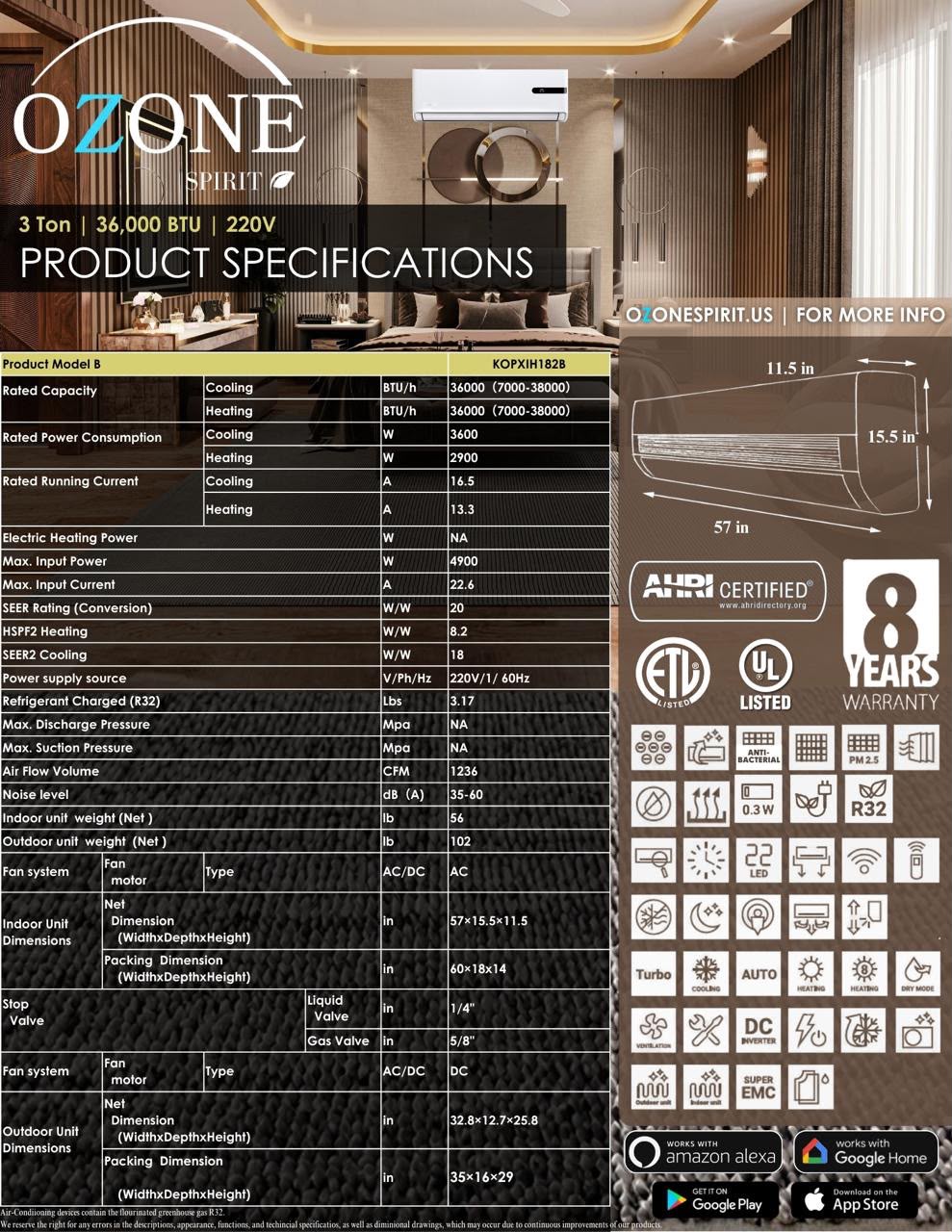
| Model | Capacity | Voltage | SEER2 / HSPF2 | Airflow | Noise (indoor) | Indoor unit (W×D×H) | Outdoor unit (W×D×H) | Weights (indoor / outdoor) | Lineset (liquid / gas) |
|---|---|---|---|---|---|---|---|---|---|
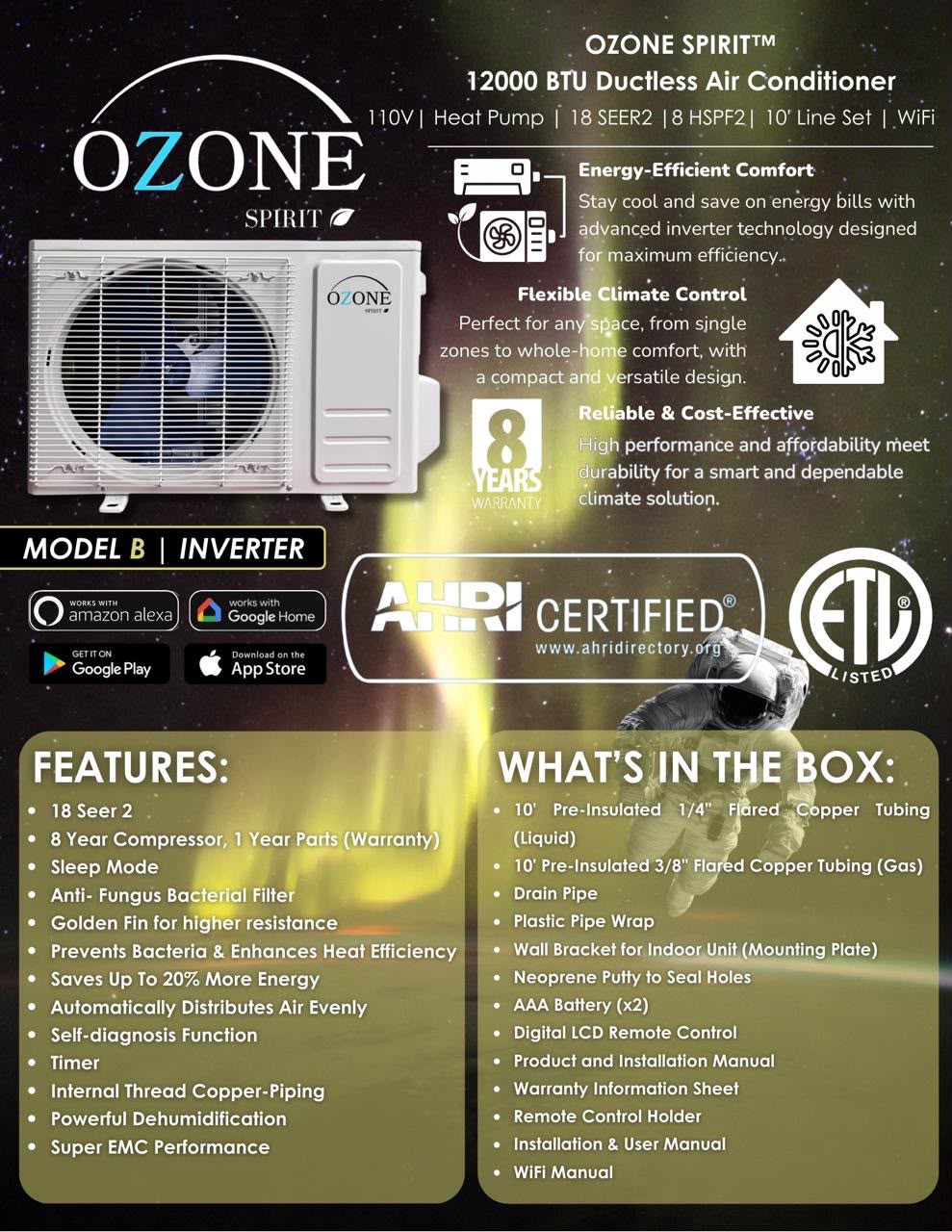
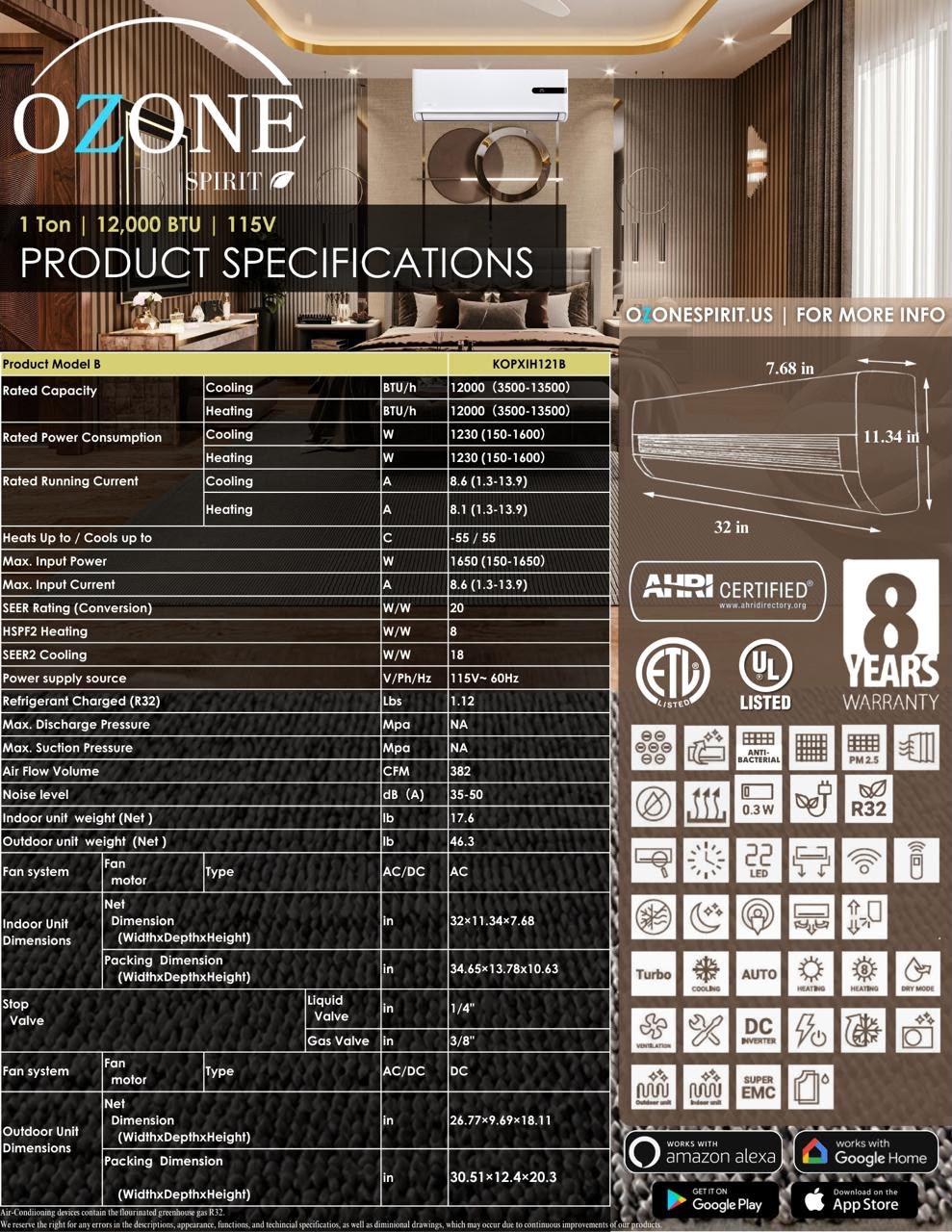
| 12K · KOPXIH121B | 12,000 BTU | 115 V | 18 / 8 | 382 CFM | 35–50 dB | 32 × 11.34 × 7.68 in | 26.77 × 9.69 × 18.11 in | 17.6 / 46.3 lb | 1/4″ / 3/8″ |
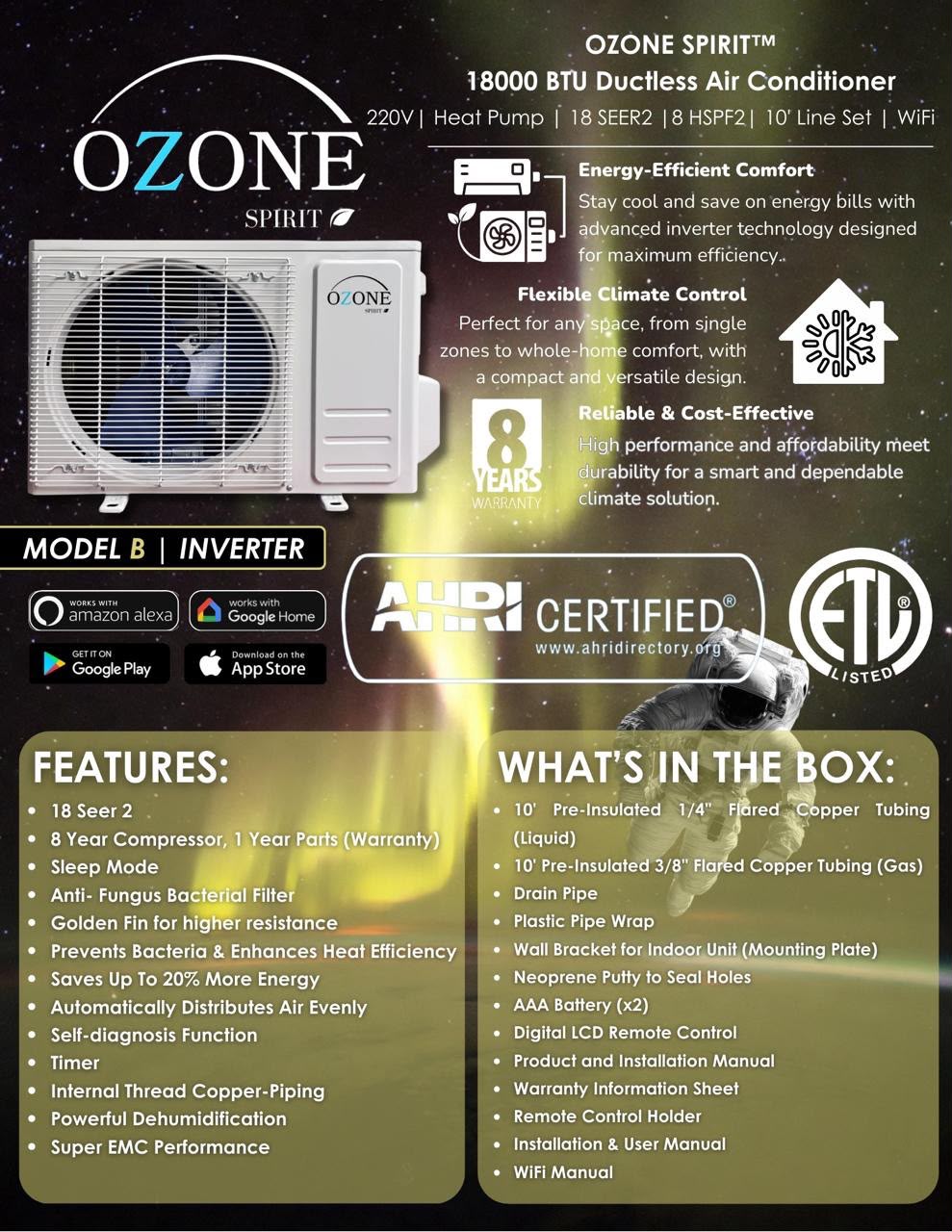
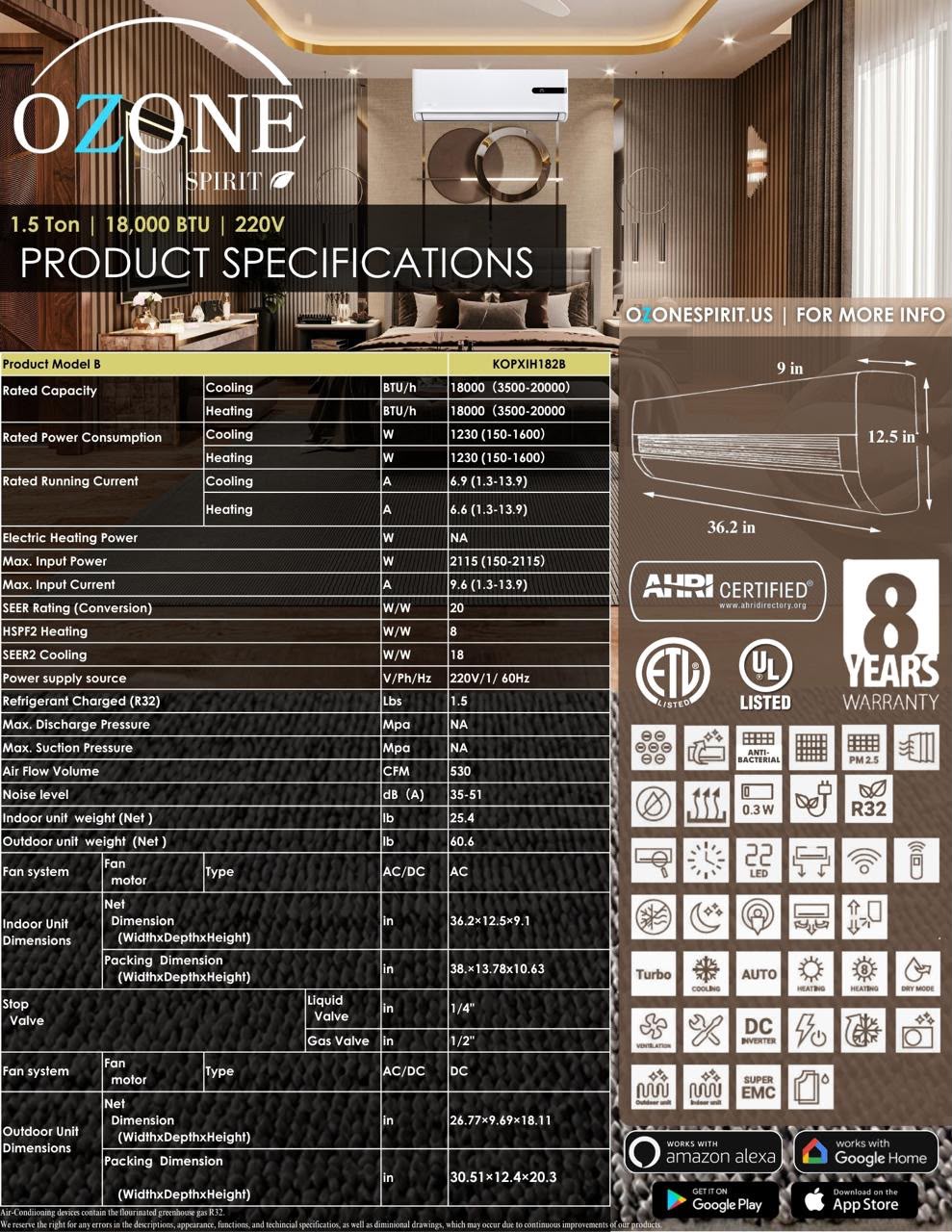
| 18K · KOPXIH182B | 18,000 BTU | 220 V | 18 / 8 | 530 CFM | 35–51 dB | 36.2 × 12.5 × 9 in | 26.77 × 9.69 × 18.11 in | 25.4 / 60.6 lb | 1/4″ / 1/2″ |
| 24K · KOPXIH242B | 24,000 BTU | 220 V | 18 / 8.2 | 590 CFM | 35–53 dB | 43 × 12.6 × 9 in | 32 × 11.6 × 23.6 in | 27.6 / 76 lb | 1/4″ / 5/8″ |
| 36K · KOPXIH362B | 36,000 BTU | 220 V | 18 / 8.2 | 1,236 CFM | 35–60 dB | 57 × 15.5 × 11.5 in | 32.8 × 12.7 × 25.8 in | 56 / 102 lb | 1/4″ / 5/8″ |
All systems are 60 Hz single-phase. Rated capacities and currents vary with operating conditions — see the specification sheets below for the full data.
- Inverter heat pump — heating and cooling from one system, R32 refrigerant
- AHRI certified, ETL and UL listed
- Wi-Fi built in — works with Amazon Alexa and Google Home via the manufacturer app
- Sleep, Turbo, Auto, Timer and Dry modes; self-diagnosis; anti-fungus bacterial filter; golden-fin coil
- 8-year compressor warranty, 1-year parts
Specification sheets
Click any sheet to open it full size.
Error codes
Codes display on the indoor head. Before anything else, three things are worth checking:
- Power — confirm the breaker hasn’t tripped and the disconnect at the condenser is closed
- Drain — a blocked or back-pitched drain line triggers a fault on many systems, and it’s the most common cause we see
- Airflow — a clogged filter, or a condenser packed with grass clippings, will throw a pressure or temperature code
Anything listed as a “service item” or a board replacement below is a job for a technician — text us the code and a photo of the placard and we’ll point you to one.
| Code | What it means | What to check |
|---|---|---|
| EE | Indoor EEPROM failure | Check indoor wiring; otherwise the indoor board needs service. |
| E1 | Indoor fan failure | Check the indoor motor and feedback wiring. Otherwise indoor board, then motor. |
| E2 | Indoor fan zero-crossing abnormal | Indoor board or fan motor. Service item. |
| E3 | Indoor coil temperature sensor fault | Check the sensor is plugged in (10 kΩ at 25 °C). Replace sensor, then indoor board. |
| E4 | Indoor room temperature sensor fault | Check the sensor is plugged in (10 kΩ at 25 °C). Replace sensor, then indoor board. |
| E5 | Outdoor unit abnormal | Outdoor temperature may be above 43 °C (110 °F). Check the condenser is clean and has airflow, the fan runs, both service valves are fully open, the lineset isn’t kinked, and there’s no refrigerant leak. |
| E0 | Outdoor EEPROM failure | Check outdoor wiring; otherwise the outdoor board needs service. |
| E6 | Indoor/outdoor communication failure | Confirm the unit is properly grounded and the indoor–outdoor connecting wires are correct and tight. Check for 220 V at the indoor L/N, then at the outdoor L/N. If the outdoor board light is off, the connecting cable or board is at fault. |
| E8 | Outdoor PCB failure | Confirm grounding, power off for 3 minutes and restart, check supply voltage and the indoor–outdoor wiring. Persistent fault: outdoor board. |
| EF | Wi-Fi module | Shows only during self-check. Ignore. |
| F1 | Compressor start abnormal (phase error / reverse) | Power off and check all outdoor cables. Compressor U/V/W resistance should be 0.5–2 Ω. Otherwise outdoor board. |
| F2 | Compressor out-of-step | Check power supply and grounding. Outdoor board, then compressor. |
| F3 | IPM module fault | Check supply voltage, condenser clean, compressor wiring and refrigerant pressure. Power off 3 minutes and restart. Persistent: outdoor board, then compressor. |
| F4 | Compressor housing top protection | Check supply and grounding. Outdoor board, then compressor. |
| F5 | Discharge temperature sensor fault | Check sensor connection (50 kΩ at 25 °C). Replace sensor, then outdoor board. |
| F6 | Suction temperature sensor fault | Check sensor connection (10 kΩ at 25 °C). Replace sensor, then outdoor board. |
| F7 | Outdoor coil temperature sensor fault | Check sensor connection (10 kΩ at 25 °C). Replace sensor, then outdoor board. |
| F8 | Outdoor ambient temperature sensor fault | Check sensor connection (10 kΩ at 25 °C). Replace sensor, then outdoor board. |
| F9 | Outdoor DC fan fault | Check the fan blade isn’t stuck or damaged and the motor wiring is good. Replace the outdoor fan motor. |
| P1 | Outdoor AC current protection | Power off 3 minutes and restart. Check supply voltage, outdoor ambient temperature, condenser airflow, fan operation and compressor noise/temperature. |
| P2 | Compressor phase current protection | Power off 3 minutes and restart. Same checks as P1, plus overcharge or air in the system. |
| P3 | Outdoor AC voltage too high/low | Power off 3 minutes and restart. Check supply voltage and condenser airflow. |
| P4 | DC bus over/under voltage | Power off 3 minutes and restart. Check supply voltage; persistent: outdoor board. |
| P5 | IPM over-temperature | Power off 3 minutes and restart. Check supply voltage; persistent: outdoor board. |
| P6 | Discharge temperature overheat | Power off 3 minutes and restart. Check outdoor ambient, condenser airflow, fan, service valves open, lineset not kinked, refrigerant charge. |
| P7 | Indoor coil freeze protection (cooling) | Power off 3 minutes and restart. Clean the filter and indoor coil; check the indoor fan runs. |
| P8 | Outdoor coil overheat (cooling) | Power off 3 minutes and restart. Check condenser airflow and refrigerant pressure. |
| P9 | Indoor coil overheat (heating) | Power off 3 minutes and restart. Check indoor airflow and refrigerant pressure. |
| PC | Ambient too low for cooling | Outdoor temperature too low to run in cooling. Check the outdoor ambient sensor. |
| PH | Ambient too high for heating | Outdoor temperature too high to run in heating. Check the outdoor ambient sensor. |
| L1 | Drive bus overvoltage | Power off 3 minutes and restart. Check supply voltage; persistent: outdoor board. |
| L2 | Drive bus undervoltage | Power off 3 minutes and restart. Check supply voltage; persistent: outdoor board. |
| L3 | Outdoor phase overcurrent | Power off 3 minutes and restart. Clean the filter and condenser, check supply voltage, discharge sensor, refrigerant charge and fan. Persistent: outdoor board or compressor. |
| L4 | Phase current sampling abnormal | Power off 3 minutes and restart. Check supply voltage; persistent: outdoor board. |
Condensed from the Ozone Spirit Model B service guide. Download the full error code guide (PDF).
Documentation
Downloads
Flare torque specs
| Copper pipe O.D. | Used on | Torque (ft-lb) |
|---|---|---|
| 1/4″ | All units (liquid line) | 11.0 – 18.4 |
| 3/8″ | 12K units (gas line) | 25.8 – 29.5 |
| 1/2″ | 18K units (gas line) | 33.2 – 44.3 |
| 5/8″ | 24K & 36K units (gas line) | 53.9 – 57.6 |
| 3/4″ | Some 36K units | 55.3 – 59.0 |
Torque specs per the Ozone Spirit manual. Snug the flare nut by hand first, then torque — overtightening deforms the flare and causes leaks.
Switching from Celsius to Fahrenheit
New systems often arrive displaying Celsius. On the Model B remote (the one with the orange power button):
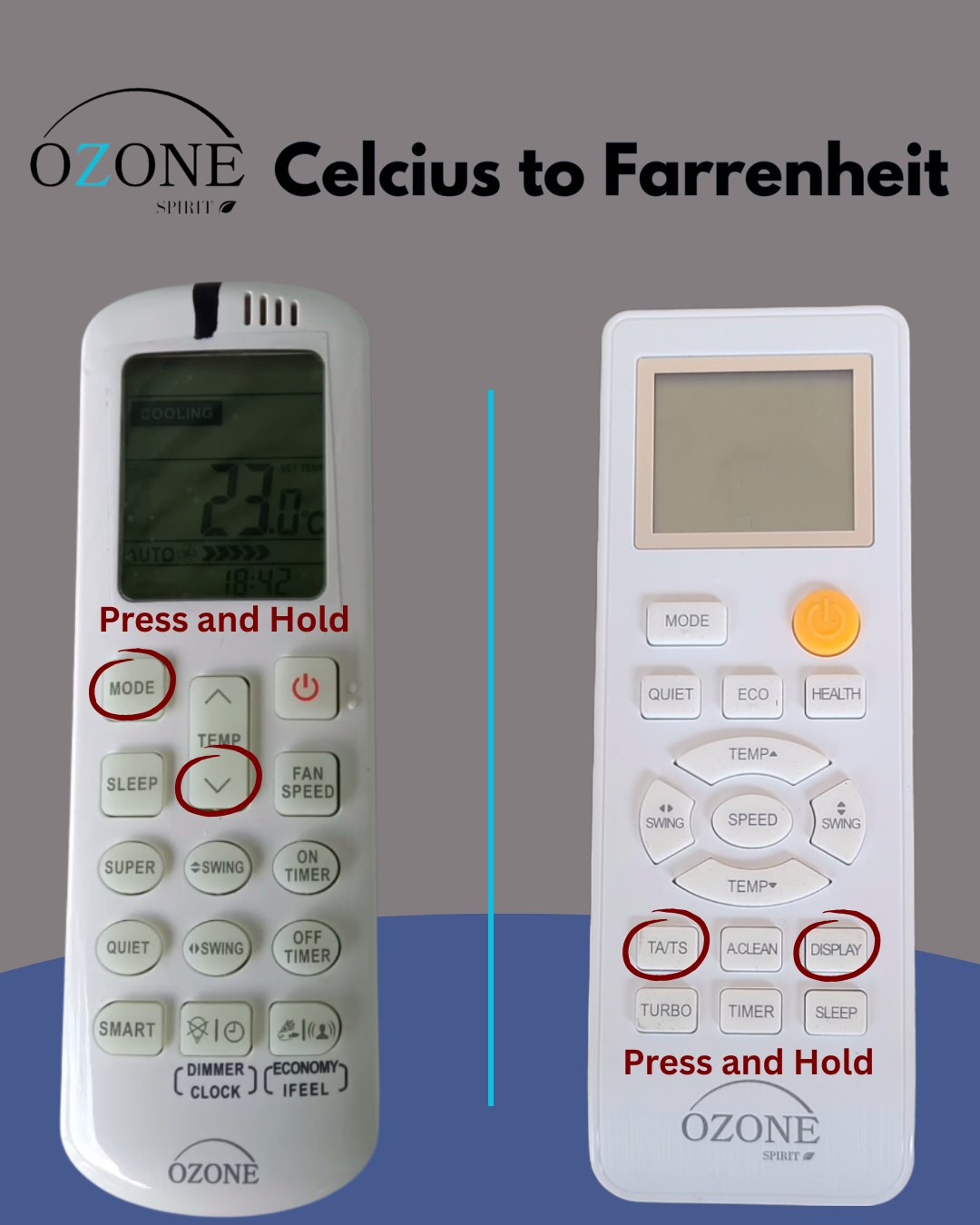
- Point the remote at the indoor unit with the system on.
- Press and hold TA/TS and DISPLAY together for about three seconds.
- The display switches from °C to °F. Repeat the same hold to switch back.
Stuck? Text us a photo of your remote and we’ll walk you through it in about thirty seconds.
Connecting Wi-Fi
Every Ozone Spirit system we carry is Wi-Fi enabled. Pairing runs through the manufacturer app (App Store / Google Play) on a 2.4 GHz network and takes a few minutes. Once paired, the system also works with Amazon Alexa and Google Home. The step-by-step is in the Model B Wi-Fi Manual.
Still stuck?
Text us a photo of the error code and the data placard. You’ll get Nick or Chelsey, not a queue.